
Our Features
CloudDaycareManager is packed with features that cover every aspect of managing a childcare center. Below is an overview of our key features, organized by category. Each section highlights how our tools not only work, but also benefit your daycare or preschool by saving time, improving accuracy, and enhancing the experience for staff and parents alike. Skim the categories to see what matters most to you, or read them all to appreciate the full power of this all-in-one platform.
Enrollment & Administration: Simplify Admissions and Record-Keeping

Handle all the paperwork and data management for your center digitally, in one secure system. CloudDaycareManager streamlines enrollment and day-to-day administration so you can focus less on files and more on families:
Online Enrollment & Waitlists:
Parents can fill out registration forms and join waitlists online from your website or a secure link. Their information flows straight into the system – no manual re-entry. You can easily track inquiries, schedule tours, and approve enrollments with a few clicks.
Digital Child Records:
Keep comprehensive profiles for each child and family. Store contact details, birthdays, medical information (allergies, medications), immunization records, authorized pickup persons, and more. All records are updated in real time and accessible from any device when you need them.
Paperless Administration:
Upload and organize important documents like signed policy agreements, physical forms, or field trip permission slips. Parents can even e-sign forms, eliminating the need to chase down paperwork. CloudDaycareManager serves as a digital filing cabinet for your center.
Center Dashboard & Reminders:
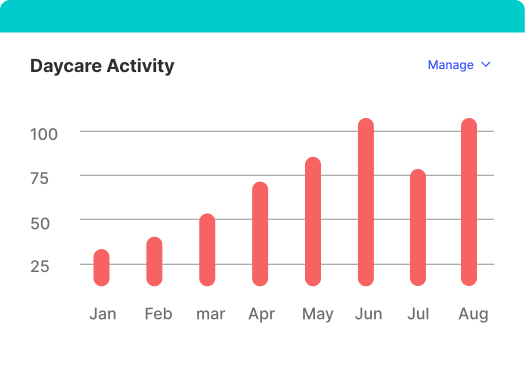
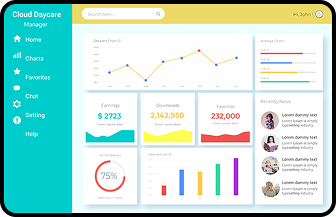
Get a bird’s-eye view of your center’s status. The admin dashboard shows key stats – current enrollment numbers, vacancies, upcoming child birthdays, and expiring documents (like immunizations or physicals due). Automated reminders ensure nothing falls through the cracks (for example, you’ll be alerted when a child is nearing an immunization due date or when a staff certification needs renewal).
Attendance & Ratios: Real-Time Tracking for Safety and Compliance
Maintain accurate attendance records effortlessly and ensure you’re always meeting required supervision ratios. Our attendance and ratio features give you peace of mind during busy day-to-day operations:
Contactless Check-In/Out:
Ditch paper sign-in sheets. Parents or staff can check children in and out via a tablet kiosk or their own smartphone. Use secure PIN codes or QR code scans for quick identification. Each check-in is timestamped and logged automatically, creating a reliable digital attendance record for every child.
Live Ratio Monitoring:
Always know how many children and staff are present in each classroom. Set your desired staff-to-child ratio per age group, and CloudDaycareManager will monitor it in real time. If a room’s ratio goes out of compliance (for example, a teacher steps out or too many children arrive), the system sends an instant alert to administrators so you can adjust staffing immediately. This helps you stay compliant with state licensing rules at all times.
Real-Time Attendance Dashboard:
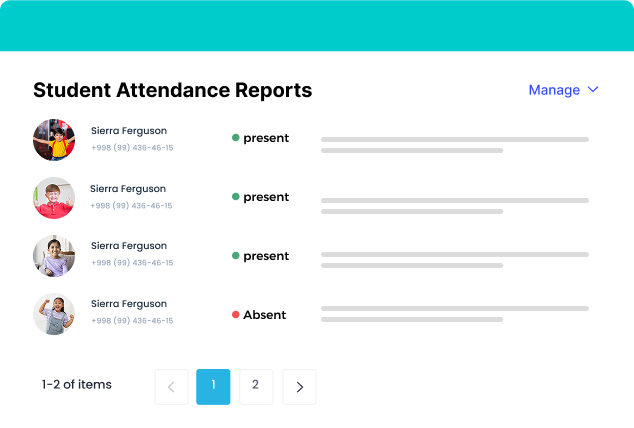
View the status of every room at a glance – who’s checked in, who’s absent, and where staff are assigned. In case of an emergency or fire drill, you can pull up a live attendance list on your phone to account for every child and staff member on site.
Automated Attendance Reports:
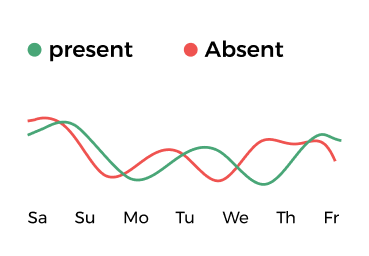
Generate daily, weekly, or monthly attendance reports without manual counting. Need to report attendance numbers to licensing or print sign-in sheets for verification? It’s as simple as selecting a date range and clicking “Download”. You can also track trends like average attendance, late pick-ups, or absenteeism rates, helping you make informed staffing and budgeting decisions.
Parent Communication: Keep Families Connected and Engaged

Foster trust and satisfaction by keeping parents in the loop. CloudDaycareManager includes built-in communication tools that make it easy to share updates, big and small, with families:
Daily Reports & Photo Sharing:
Send parents a digital daily report for their child each day, complete with naps, meals, potty breaks, activities, and learning milestones. You can also share photos and videos securely through the parent app – giving parents a window into their child’s day. (Parents consistently tell us these updates are the highlight of their workday!)
Two-Way Messaging
Communicate with parents in real time without giving out personal phone numbers or using external apps. Our secure messaging system lets you send messages to individual parents or broadcast to all families (or specific classes). Parents can reply or ask questions through the app, and all messages are logged centrally for easy reference.
Announcements & Reminders:
Need to remind everyone about an upcoming event, a policy update, or a weather closure? Post an announcement in CloudDaycareManager and push it to all parents instantly via the app and email. Schedule reminders for important dates like tuition due dates, parent-teacher conferences, or holidays – ensuring no one misses a beat.
Event Calendar & Newsletter Distribution:
Maintain a shared calendar for your center that parents can view on the portal, listing events, field trips, menu rotations, etc. You can also distribute your center’s newsletter or weekly menu through the platform, eliminating the need for separate email lists or printed handouts.
Parent Portal & App:
Every family gets access to a user-friendly parent portal (on web and mobile app). In it, they can update contact info, view their child’s attendance history, read past daily reports, and even pull up their account statements for billing. This transparency and convenience boost parent satisfaction and reduce administrative questions coming your way.
Billing & Payments: Streamline Tuition Collection and Improve Cash Flow
Billing & Payments: Streamline Tuition Collection and Improve Cash Flow
Managing billing can be one of the most time-consuming and sensitive tasks for a childcare center. CloudDaycareManager simplifies it with automation and integration, ensuring you get paid on time while offering convenience to parents:
Customizable Tuition Plans:
Set up each family’s tuition schedule just once, and let our system handle the rest. Whether you bill weekly, bi-weekly, or monthly – or have different rates for full-time vs. part-time – CloudDaycareManager accommodates it. You can input sibling discounts, multi-child rates, or any special adjustments easily.
Automated Invoicing:
No more manual invoices or forgetting to bill. The system automatically generates invoices for each billing cycle and emails them to parents (or sends notifications via the app). You can include additional charges like late pickup fees, field trip costs, or supply fees as needed. Each invoice is detailed and professional, including your center’s logo and all necessary info (service period, due date, line items, etc.).
Online Payments (Integrated with Host Merchant Services):
Parents can pay their bills online instantly. We support credit/debit card payments and ACH bank transfers, all processed securely through our partner Host Merchant Services (HMS). Funds reach your bank account quickly (typically by the next business day), so you’re not left waiting for checks. Plus, parents love the convenience – no more writing checks or remembering to bring cash.
Autopay and Payment Plans:
Encourage on-time payments by offering autopay. Parents can opt to save a card or bank account on file; then the system will automatically charge them on the due date and send a receipt. For families who need flexibility, you can set up payment plans or split payments (e.g., when two parents each pay a portion of tuition). CloudDaycareManager handles these scenarios with ease, ensuring each party sees only their portion for privacy.
Real-Time Ledger & Receipts:
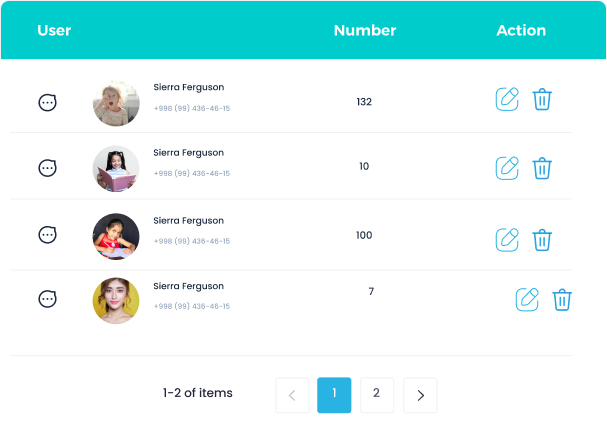
Every payment (online or recorded manual payments like cash/check) is logged in each family’s ledger. You can see at a glance who has paid and who has an outstanding balance. The system can send automatic reminders for overdue payments, saving you those uncomfortable collection calls. Parents also receive instant receipts by email, and they can view their payment history at any time in the portal.
Financial Reports & Exports:
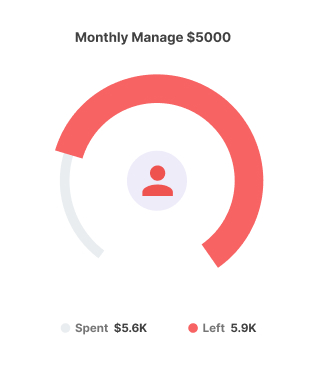
Generate reports such as revenue by month, aging receivables (to see who’s late), and transaction summaries. At tax time, create year-end statements for each family with total tuition paid, which parents can use for childcare tax credits or Flexible Spending Accounts. You can also export your billing data to accounting software like QuickBooks, or simply to Excel, to share with your accountant or for your records. All financial data is stored securely and backed up, so you never have to worry about lost receipts or calculation errors.
Transparent, Low-Cost Processing:
Unlike other software that charge extra processing or “convenience” fees, CloudDaycareManager’s payment processing is built-in and competitively priced. There are no hidden fees for transactions – just a low flat rate or percentage (we tailor it to match/beat your current rates with your merchant provider). Your parents can even choose ACH (bank draft) payments for lower fees. In short, you get the convenience of integrated billing without gouging your bottom line.
Staff Management: Empower Your Team and Simplify Staff Oversight
Your employees are the heart of your center. CloudDaycareManager includes tools to help you manage staff information, scheduling, and communication so you can build an effective team and keep everyone on the same page:
Time Clock & Timesheets:
Staff can clock in and out through the system – either at a central kiosk/ tablet or on their own device with permission. Hours are logged automatically, so you can review and approve timesheets without manual calculations. This makes payroll prep a breeze. If you use a payroll service, you can export staff hours or even integrate directly (support for popular payroll providers).
Staff Scheduling & Ratio Planning:
Create and adjust staff schedules within the platform. You can set up recurring shifts or weekly schedules, and teachers can view their assigned shifts in their own login. The system cross-references schedules with attendance to help you ensure coverage: if you know a teacher is out or a classroom has an influx of kids on a given day, you can quickly reassign staff and the ratio monitor will reflect those changes.
Centralized Staff Records:
Staff Management: Empower Your Team and Simplify Staff Oversight

Maintain a profile for each staff member including contact info, role/ position, hire date, and relevant documents. Track certifications and training (CPR, first aid, background checks, annual training hours). Set expiration dates on certifications and let CloudDaycareManager remind you and the employee when renewals are due. This helps you stay compliant with staff qualification regulations effortlessly.
Internal Staff Communication:
Use CloudDaycareManager to send staff-wide memos or individual messages. For example, remind all teachers about an upcoming staff meeting via the app, or message an individual teacher to come see you when they have a moment. Staff can also communicate non-privately within the system – for instance, teachers might log notes for directors about supplies needed or incident reports, which you can review and acknowledge in the platform.
Role-Based Access & Permissions:
Ensure each staff member has access to the right level of information. An assistant teacher might only see the attendance and daily report features for their classroom, while a Director or Administrator can see everything. These permission settings are customizable, allowing you to enforce privacy and security policies (for example, only admin-level users can access billing or center-wide reports). Everyone gets just the tools they need to do their job effectively.
Reporting & Compliance: Insights at Your Fingertips, Stress-Free Compliance
Reporting & Compliance: Insights at Your Fingertips, Stress-Free Compliance
CloudDaycareManager comes with robust reporting tools to give you visibility into your operations and help you meet state and federal requirements with minimal effort. Data that you’ve entered for daily use can be transformed into reports whenever you need them:
Regulatory Compliance Reports:
Meeting licensing regulations is simpler when your data is organized. Easily produce reports for child attendance (sign-in/sign-out records), immunization and health records (who’s missing shots or physicals), staff-to-child ratio logs over time, and more. If an inspector asks for proof of something, you can generate it on the spot. For food program participants, track CACFP meal counts and generate the necessary reimbursement claim forms without separate software.
Center Performance Analytics:
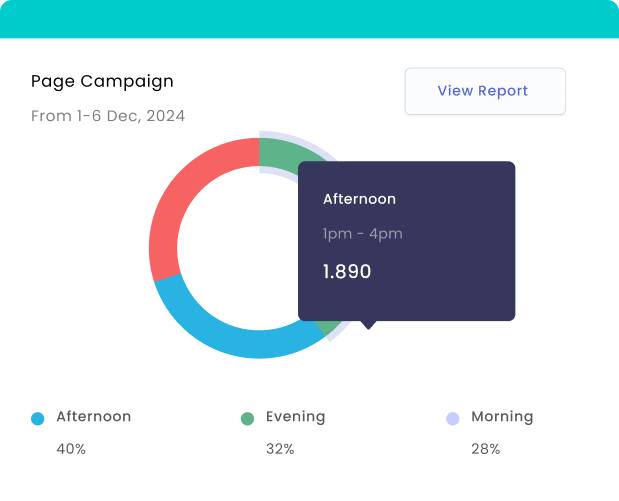
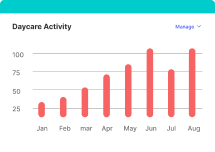
Get a clear picture of your center’s operations. For example, run an Enrollment report to see capacity vs. actual enrollment over time, or a Waitlist report to gauge demand for certain age groups. Understand trends like seasonal enrollment changes or which months have higher absenteeism. These insights can inform your staffing, marketing, and budgeting decisions.
Financial & Accounting Reports:
In addition to the billing reports mentioned above, you can analyze your center’s financial health. See total revenue, outstanding balances, and even project cash flow based on recurring billing schedules. If you allocate expenses or track payroll within the system, you can generate expense vs. income reports. All reports can be filtered by date, classroom, program, etc., to get the level of detail you need.
Custom and Exportable Reports:
We know every center might have unique reporting needs. CloudDaycareManager lets you customize reports by selecting which fields to include and how to sort/filter data. Once you have a report you like, save the template for next time. And of course, you can export any report to PDF for printing or to CSV/Excel for further analysis. You own your data – we just make it easy to crunch.
Audit Trail & Data Logs:
For peace of mind and accountability, the system maintains logs of key actions. Know who checked a child in, who made an edit to a record, or who waived a fee on an invoice. This kind of auditing is useful for internal reviews and necessary compliance (for example, if a parent disputes a pickup time or a payment, you have a digital paper trail to refer to).
Security & Support: Trustworthy Technology Backed by Real People
We understand that adopting a new platform is a big decision. That’s why CloudDaycareManager is built with top-notch security and comes with support you can count on. We treat your business like our own:
Data Security & Privacy:
All data in CloudDaycareManager is protected by enterprise-grade security measures. This includes SSL/TLS encryption for all data transfers (the same level of security used by banks) and encryption at rest for sensitive information. We employ robust firewalls and undergo regular security audits. In plain language: your children’s and families’ personal information is safe with us. We also comply with privacy laws (like FERPA/COPPA where applicable) to ensure child data is handled properly.
Cloud Reliability:
CloudDaycareManager is a cloud-based system, meaning you can access it securely from anywhere – your office computer, a tablet in the classroom, or your phone at home. We maintain over 99.9% uptime, so the system is available when you need it. And no need to worry about backups or software updates; we handle all of that behind the scenes. You’ll always be on the latest version with the newest features, automatically.
User Permissions & Controls:
Security & Support: Trustworthy Technology Backed by Real People

We provide fine-grained control over who can see and do what in the system. You decide which team members can view personal family data, who can send center-wide communications, who can access financial info, etc. Parents only ever see their own child’s info and their billing statements. These controls protect privacy and ensure peace of mind for you and your families.
Dedicated Support Team:
Have a question or ran into an issue? Our support team is here to help. Reach out via phone, email, or chat – real people with knowledge of childcare operations will assist you. We don’t believe in making you self-serve through endless forums or bot chats. Whether it’s a “how do I…” question or a critical incident, we respond promptly and with care. (Many of our team members are former daycare administrators or teachers themselves, so we speak your language.)
Onboarding & Training:
We are with you from day one. When you come on board, we’ll help import any existing data (from spreadsheets or even from another software if possible) so you don’t have to start from scratch. We offer live training sessions for you and your staff at no extra cost, plus an extensive library of simple how-to guides and videos. Our goal is to ensure you feel comfortable and confident using CloudDaycareManager. And if your team has turnover, new staff can quickly get up to speed with these resources.
Continuous Improvement:
Choosing CloudDaycareManager means you’re investing in a platform that’s always evolving. We regularly release new features and improvements (often based on feedback from centers like yours). These updates come to you at no charge and with minimal disruption. We are committed to innovation – making sure our software keeps getting better at meeting your needs in the ever-changing landscape of childcare management.